The short answer
Rivian’s embedded cellular module works only in the US and Canada. The company does not push software updates outside North America. Together those two facts mean an imported vehicle stays on the build it crossed the ocean with — including defects Rivian fixes exclusively over the air.
Wi-Fi is the only interface the car still has to reach the manufacturer’s servers. But simply handing it a Ukrainian network is not enough: the Rivian owner community in Poland and Ukraine describes the required configuration outright as a dedicated router with a VPN exit on an American IP address, and recommends GL.iNet routers for it.
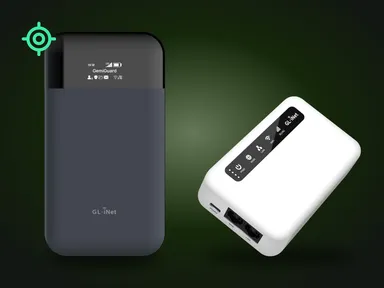
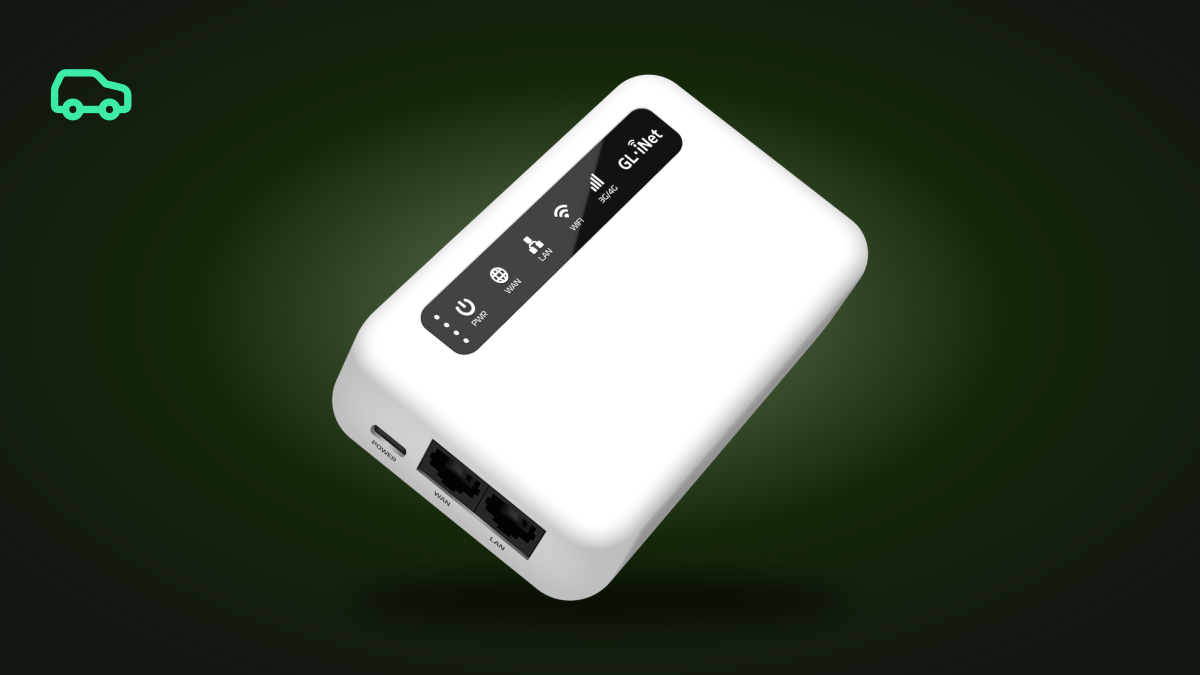
We supply that scenario as a package built on the GL.iNet Puli (GL-XE300): the router sits in the centre console, runs off the vehicle’s own USB-C port, and works with no driver involvement at all.
What connectivity brings back, and what it does not
Restored: OTA updates — the reason the whole arrangement exists; the vehicle’s link to the mobile app; remote diagnostics and log offload; audio and video streaming. That is not our list — those are the tasks Rivian itself names in the owner’s guide when describing what the vehicle uses Wi-Fi for.
Not restored: maps and navigation. Rivian’s mapping is built for North America, and owners of imported vehicles in Europe call the loss of the map their single biggest problem: address search does not work, and the destination has to be chosen by tapping the map. An American IP address cannot help here — this is about map data, not about where the connection originates.
Nothing is restored while the vehicle is moving. The vehicle switches Wi-Fi off the moment it leaves Park. There will be no live traffic in navigation while driving, with a router or without one. The router does its work while the vehicle is parked: that is when updates arrive and the app responds.
Gear Guard records regardless of the internet. Per Rivian’s documentation, Drive Cam saves clips to an external storage device while Incidents and Motion Cam write to the vehicle’s onboard drive; all of it is reviewed on the centre display. Remote live camera viewing in the app is a separate feature, requiring a Connect+ subscription, precise location sharing, and a working channel to Rivian’s servers.
Updates are why this system exists
Rivian fixes some defects purely over the air. The February 2024.03.02 update corrected daytime running lamp behaviour as a recall remedy. In autumn 2024 the company recalled 2025 model year vehicles over a scenario in which exterior lighting could be left deactivated, and closed that campaign with build 2024.39.31 — no service visit, no owner involvement of any kind.
A vehicle with no channel receives none of those fixes and never learns they exist.
Updates also set the practical requirement for the data plan. A package is around 5 GB, versions install in sequence and an intermediate one cannot be skipped — a vehicle that has been offline for a long time will pull several builds back to back. Installation takes roughly 45–55 minutes, during which the vehicle cannot be driven, so an update is best scheduled overnight.
Why handing the car any Wi-Fi is not enough
Ukrainian owners report that joining an ordinary local network does not restore the online features, while the same connection with a US-exit VPN does. The community puts it more concretely still: a request to Rivian’s infrastructure from a Ukrainian address does not get through, and the same request from a Polish one does.
The simplest explanation is geographic filtering on the server side: Rivian looks not only at whether a channel exists but at where the vehicle is coming from. Rivian documents none of this, so it is our inference from owner observations rather than a mechanism the manufacturer has confirmed.
While electronic-warfare jamming is active, navigation may place the vehicle in Peru. That is neither a fault nor a side effect of the VPN — the position returns once the connection recovers.
The setup: a GL.iNet Puli with a permanent US exit
The Puli (GL-XE300) is the right choice for a vehicle because of one property no other battery-equipped model in the lineup has: it powers itself on the instant it receives power. A connected USB-C cable means a router that is on, booted, and holding its tunnel. Nobody presses anything — not the owner, not the driver, ever.
In a vehicle this matters because the cabin ports lose power with the vehicle. A router that waits for a button press after power disappears does not work in a console — it works exactly until the owner tires of it. The Puli instead rides out the vehicle’s sleep cycle on its own 5000 mAh battery and brings itself back up when power returns.
The rest of the specification fits the job:
| Property | Value | What it gives you in a vehicle |
|---|---|---|
| Auto power-on | Boots itself whenever USB-C power is present | The car wakes and the network is already there |
| Battery | 5000 mAh · 5–7 hours | The network holds while the vehicle sleeps |
| Modem | 4G LTE Cat 4 · Quectel EG25-G | Nationwide coverage, with headroom for a 5 GB package |
| SIM | Nano-SIM | Prepaid Kyivstar card included |
| VPN | WireGuard up to 35 Mbps (our tests) · OpenVPN | The router holds the tunnel; the car never knows about it |
| Dimensions | 120 × 74 × 27 mm · 223 g | Sits in the centre console and stays out of the way |
The tunnel lives on the router rather than in the vehicle. Rivian has no VPN settings; to the car this is simply a known Wi-Fi network. All the work with keys, reconnection and the exit node happens on a device the vehicle cannot even see.
Power: keeping the router up for longer
By default the 12 V and USB-C outlets are live while the vehicle is in use and go dead when it is not. That is configurable. Rivian’s owner’s guide documents Energy → Outlets on the centre display, with two modes:
- Auto — the outlets turn on when you use the vehicle and turn off when you leave.
- Timer — the outlets stay powered for a set length of time even after you have left the vehicle. When the timer ends, the power goes.
Both modes can be active at once, and the timer switches itself off if the battery range gets very low. For a large update that is exactly what is wanted: the timer keeps the port live while the package downloads, and when it lapses the Puli falls back to its own battery rather than dropping mid-download.
What it looks like in the car
The router arrives configured. Prepaid Kyivstar SIM inside, a WireGuard profile with a US exit node, tunnel auto-connect on boot, network name and password already set.
The device goes into the centre console, the USB-C cable into the vehicle’s own port. That is the entire installation: no wiring work, no trim removal.
The vehicle connects once. In its Wi-Fi settings you pick the router’s network and enter the password; from then on the car joins it on its own.
After that, without you. The car wakes, the port powers up, the Puli boots, establishes an LTE connection and brings up the VPN tunnel, and the vehicle sees a familiar network and reaches Rivian’s servers from an American IP address.
Before a large update, switch on the outlet timer in Energy → Outlets and leave the vehicle overnight. Installation takes about an hour, and the vehicle cannot be driven throughout.
The Rivian app from Ukraine
The app is published in two storefronts only — American and Canadian. We verified this against Apple’s catalogue across ten countries: present in the US and Canada, absent in Ukraine, Poland, Germany, the UK, France, the Netherlands, Switzerland and Australia. Installing it therefore requires a US or Canadian store account, which is the procedure the owner community in Poland and Ukraine describes.
The Connect+ subscription runs about $15 a month and can be paid with a Ukrainian bank card. It is what gates remote live camera viewing, streaming services and priority delivery of updates.
The GemiGuard package for a Rivian
We ship a finished solution, not a parts list:
- A GL.iNet Puli (GL-XE300) with auto-connect configured and the Wi-Fi network already named.
- A permanent GemiGuard VPN tunnel to a US exit node — the vehicle reaches the internet from an American IP address.
- A prepaid Kyivstar SIM with the first month of data paid for.
From there the owner tops the SIM up whenever they need connectivity. Some top up monthly and keep the vehicle permanently online; others do it every two or three months, ahead of the next wave of updates. Both work: between updates the vehicle consumes very little.
We supply the same configuration to dealerships and to companies specialising in American EV imports, as a line item handed to the buyer with the keys. Partner terms are on the wholesale page.
A permanent US IP address for the vehicle. Our WireGuard VPN service is tuned for GL.iNet mobile routers and keeps the tunnel up with no user involvement. GemiGuard VPN page →
See also: WireGuard and OpenVPN — protocol comparison · Starlink and a VPN router · GL.iNet Puli (GL-XE300).
Need a Rivian package? Message us
Sources
Rivian documentation
- R1S Owner’s Guide (software 2024.27), “Vehicle Wi-Fi” — the list of what the vehicle uses Wi-Fi for: downloading OTA software updates, connecting remotely to the Rivian mobile app, accessing the map and searching for locations, streaming media, and enabling remote diagnostics and log offload. — assets.rivian.com
- The same guide, “Power Outlets” and “Accessory Power” — the 12 V and USB-C outlets are live while the vehicle is in use; the Auto and Timer modes under Energy → Outlets, the fact that both can be active at once, and automatic shut-off at very low range.
- The same guide, the Gear Guard table — Drive Cam writes to an external storage device, Incidents and Motion Cam to the onboard drive, all reviewable on the centre display.
- Rivian, “Deactivated Exterior Lighting” — NHTSA recall 24V-827, remedied by build 2024.39.31. — rivian.com
- Rivian, “Recall Information” — the campaign list, including the 2024.03.02 daytime running lamp update. — rivian.com
Connectivity geography
- AT&T — 5G connectivity for the Rivian R2, the partnership as primary connectivity provider since 2023, covering the US and Canada. — about.att.com
- Giesecke+Devrient, joint release with Rivian and AT&T — SGP.32 eSIM, with AT&T as the carrier for the US market. — gi-de.com
- Apple App Store catalogue, availability of the Rivian app checked across ten countries: published in the US and Canada, absent in Ukraine, Poland, Germany, the UK, France, the Netherlands, Switzerland and Australia. — apps.apple.com
Owner experience outside North America
- The Rivian owner community guide for Poland and Ukraine — the eSIM works only in the US and Canada; outside them a SIM card or VPN router is needed; Rivian does not send updates outside the US and Canada; recommended GL.iNet routers; update package size, sequential versions and installation time; app installation procedure and paying for Connect+ with a Ukrainian card. — rivianua.pages.dev
- Rivian Owners Forum, “European Rivian Owners” — Wi-Fi switches off as soon as the vehicle leaves Park; address search does not work and the destination must be picked on the map; owners call the loss of the map their biggest problem. — rivianownersforum.com
- Rivian Forums, “Rivian Overseas Service” — the company provides no support to overseas owners, remote diagnostics included. — rivianforums.com
A note on the status of these claims. Everything concerning the vehicle’s behaviour comes from Rivian’s owner’s guide; the connectivity geography from the AT&T and G+D releases; app availability we verified ourselves against Apple’s catalogue. The claim that Rivian’s servers filter requests by geography is not confirmed by a primary source: it is our inference from owner observations.