Our recommendation
Keep the Mudi 7 on its built-in antennas. To improve reception, move the router itself to the position with the strongest signal you can reach, and judge every change by the modem’s RSRP, RSRQ and SINR readings, never by the signal bars. Consider an external antenna only when you can place it where the received signal is substantially stronger than at the router, and only after measuring the result.
How the Mudi 7 receives the cellular signal
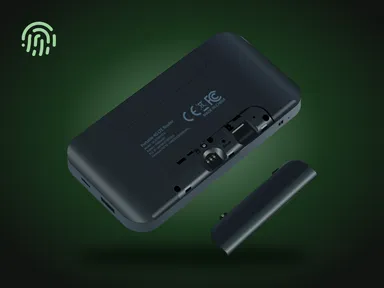
The Mudi 7 has eight built-in antennas: six cellular antennas and two Wi-Fi antennas. Its modem uses several cellular antennas at once (MIMO), which raises throughput and keeps the link stable when the signal fades on one path. The router also has two female TS-9 connectors for external cellular antennas, rated from 600 MHz to 6 GHz. External antennas are bought separately.
What connecting an external antenna changes
Connecting an external antenna to a TS-9 port disables the built-in cellular antenna on the same path. The external antenna does not add to the built-in set; it replaces part of it. The modem then receives on that path only what reaches it through the external antenna, its cable and its adapter. With one port connected and the other empty, the modem loses part of its MIMO capability, so both ports must be connected.
The loss budget: what reaches the modem
Every component between the antenna and the modem changes the received power by a fixed number of decibels. A reduction of 3 dB halves the received power.
- Cable attenuation. Coaxial cable reduces the signal in proportion to its length, and the loss rises with frequency. Thin RG-174 cable, standard on inexpensive magnetic antennas, attenuates 0.72 to 1.0 dB per metre at 900 MHz and 1.38 dB per metre at 3 GHz (Belden datasheets for RG-174 types 7805 and 8216).
- Insertion loss. Each connector junction adds a fixed loss, typically 0.1 to 0.3 dB for an SMA pair at 6 GHz. An antenna with an SMA plug needs an SMA to TS-9 adapter, which adds two junctions. No manufacturer publishes the insertion loss of a TS-9 junction; the table below applies the SMA figure to both.
- Antenna gain. Gain, stated in dBi, is the antenna’s concentration of received power in its main directions compared with an ideal isotropic antenna. It adds to the budget. Manufacturers that publish measured data rate compact wideband cellular antennas at a few dBi: Teltonika rates its PR1KS536 magnetic antenna at 3.6 dBi across 617–960, 1400–2690 and 3300–5900 MHz.
A typical external set, a 3.6 dBi magnetic antenna on 3 metres of RG-174 with an SMA to TS-9 adapter, gives this result at the router’s port:
| Band | Antenna gain | Cable, 3 m | Adapter, two junctions | Net at the port |
|---|---|---|---|---|
| 900 MHz | +3.6 dB | −2.2 to −3.0 dB | −0.2 to −0.6 dB | 0 to +1.2 dB |
| 3.5 GHz (5G n78) | +3.6 dB | more than −4.1 dB | −0.2 to −0.6 dB | below −0.7 dB |
At 900 MHz the set barely breaks even. At the 5G frequencies around 3.5 GHz it delivers less power to the port than an ideal 0 dBi antenna mounted directly on it. The built-in antennas sit inside the router’s case, so the losses of the external cable and adapter in this table do not apply to them; GL.iNet does not publish their gain.
The conclusion follows directly. An external antenna improves reception only when the signal at its position is stronger than at the router by more than the net loss of the set. An antenna lying next to the router cannot meet that condition and lowers the received signal.
Gain ratings on inexpensive antennas
Inexpensive wideband antennas are commonly sold as “12 dBi” or “18 dBi”. Their sellers publish no radiation pattern or gain measurement to support these figures. Manufacturers that do publish measured data rate antennas of this size and band coverage at a few dBi; 12 dBi is 8.4 dB above Teltonika’s 3.6 dBi, roughly seven times the power. Treat any such figure as unverified.
The TS-9 connector
TS-9 is a miniature push-fit connector held in place by friction alone. Vibration and cable movement work the plug loose. A long rigid antenna inserted directly into the port acts as a lever on it and can break the connector inside the router. If you connect an external antenna, connect it through a short flexible adapter cable and secure the cable so that it does not pull on the port.
The evidence available today
- Manufacturer. GemiGuard is an official GL.iNet distributor in Ukraine. On 4 November 2026 we asked GL.iNet’s engineers which external antenna they recommend for the Mudi 7. They recommended none.
- Measurements. As of 4 November 2026, the GL.iNet forum threads on external antennas for the Mudi 7 contain no before-and-after RSRP, RSRQ or SINR measurement.
- Owners. A Mudi 7 owner reported on NAS Compares (30 April 2026) that the antennas they bought made “no big difference”.
How to improve reception
- Relocate the router. A change of position of a few metres, a change of height or a clear path past an obstruction can raise RSRP by several decibels. Find the strongest position with the router itself before considering anything else.
- Measure. Read RSRP (received signal power), RSRQ (signal quality) and SINR (signal to interference and noise ratio) in the router’s admin panel, and compare them before and after every change.
If you test an external antenna
- Record RSRP, RSRQ and SINR with the built-in antennas, at the router’s final position.
- Place two antennas where the signal is stronger than at the router, and connect both ports.
- Use the shortest cable that reaches that position, and the lowest-loss cable available.
- Connect through flexible adapter cables, and secure them against strain on the ports.
- Record the same readings again. Keep the antennas only if SINR and RSRP improved.
Where we stand
GemiGuard does not currently supply external antennas as an upgrade for the Mudi 7. We are actively studying the matter, and will offer an antenna and update this article as soon as an antenna for this router has measured results showing a consistent improvement.
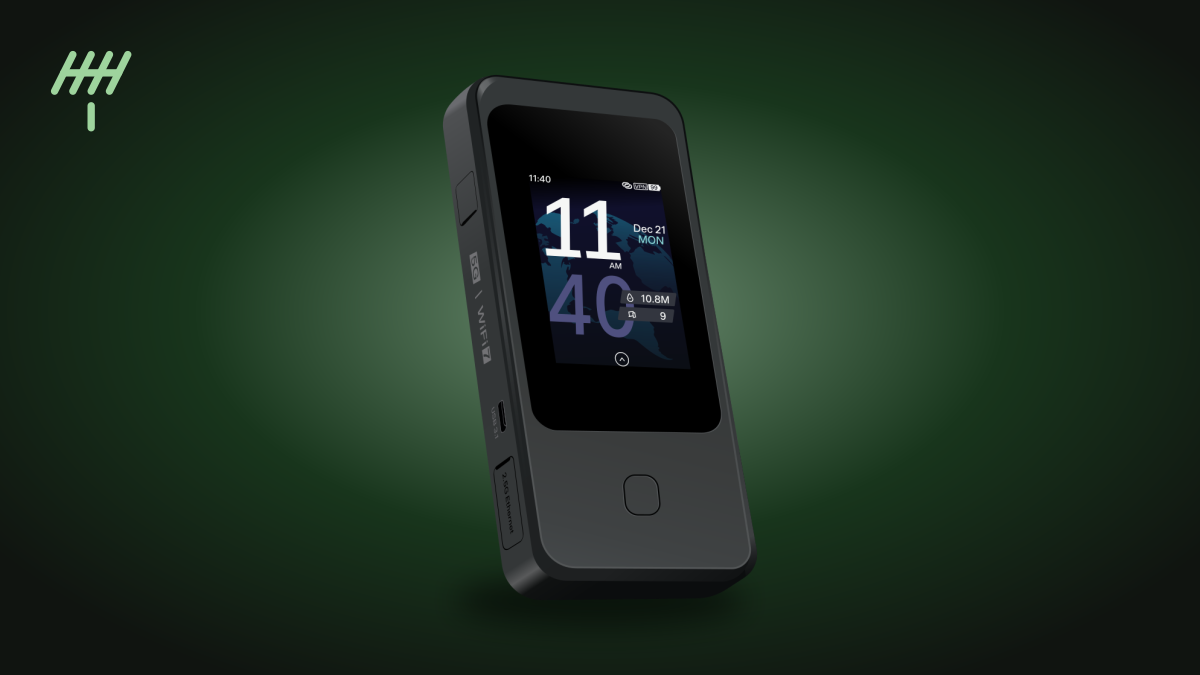
Related product: GL.iNet Mudi 7 GL-E5800.
Tell us how and where you use the router, and we will tell you how to improve its reception
Sources
- GL.iNet, GL-E5800 (Mudi 7) datasheet: eight built-in antennas, six of them cellular; two TS-9 connectors for external cellular antennas. — static.gl-inet.com
- GL.iNet documentation, “How to install or change antennas”, Mudi 7 section: two female TS-9 connectors, 600 MHz to 6 GHz, antennas not included. — docs.gl-inet.com
- GL.iNet documentation, “Understanding external cellular antennas”: connecting external antennas disables the corresponding internal cellular antennas; connecting one lead on a multi-antenna router reduces MIMO performance. — docs.gl-inet.com
- Belden, cable 8216 (RG-174) datasheet: 31 dB per 100 ft at 900 MHz. — e-sonic.com
- Belden, cable 7805 (RG-174 type) datasheet: 22 dB per 100 ft at 900 MHz and 42 dB per 100 ft at 3000 MHz. — tme.eu
- RF Essentials, cable and connector losses in a link budget: 0.1 to 0.3 dB per SMA connector pair at 6 GHz. — rfessentials.com
- Teltonika PR1KS536 specifications: 3.6 dBi; 617–960, 1400–2690 and 3300–5900 MHz. — xpatit.gr
- GL.iNet forum, “Best omni directional TS-9 antennas for Mudi 7 (GL-E5800)?”, May to July 2026. — forum.gl-inet.com
- GL.iNet forum, “Mod Antenna for Mudy 7”, February 2026. — forum.gl-inet.com
- NAS Compares, Mudi 7 review, owner comment of 30 April 2026. — nascompares.com