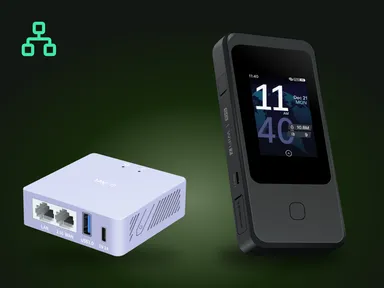
The GL.iNet GL-AXT1800 Slate AX and GL.iNet GL-BE9300 Flint 3 are VPN routers that extend the capabilities of a Starlink satellite internet terminal.
While the built-in Starlink Wi-Fi router provides basic connectivity, it lacks the advanced networking features, security protocols and configuration options needed to support a secure environment. By integrating the Slate AX or Flint 3 with a Starlink terminal, users can achieve greater functionality, more secure communications and a more flexible network architecture.
Overview of Starlink hardware limitations
The standard Starlink kit includes a phased-array satellite dish and a combined modem-router device. The modem-router is designed for simplicity — it does not support advanced network configuration or VPN protocols such as OpenVPN and WireGuard. This limitation can expose users to security risks and make it difficult to meet specialised network requirements. In addition, the default Starlink router does not support enterprise-grade features such as VLANs, traffic prioritization or fine-grained QoS control.
GL.iNet Slate AX and Flint 3 VPN routers: technical advantages
Slate AX (GL-AXT1800)
Hardware specifications
The Slate AX runs on the Qualcomm IPQ6000, a quad-core 1.2 GHz processor, with 512 MB of DDR3L RAM and 128 MB of NAND flash storage, enough for small and medium-sized networks. The device supports the modern dual-band 802.11ax standard on 2.4 GHz (574 Mbps) and 5 GHz (1201 Mbps), delivering a combined throughput of up to 1800 Mbps.
OpenWrt integration
Built on the open-source OpenWrt platform, the Slate AX offers full support for advanced networking features. Users can define firewall rules, configure VLANs, set up traffic prioritization (QoS) and deploy a wide range of plugins.
VPN support
The Slate AX reaches up to 550 Mbps over WireGuard and up to 560 Mbps over OpenVPN with DCO (GL.iNet’s figures, measured on a local network), which is enough for video streaming, large downloads and secure file transfers.
Portability and power
The Slate AX measures 125 × 82 × 36 mm and weighs 245 g. It runs from any USB-C power supply rated 5 V / 4 A, so it suits mobile set-ups and places without reliable mains power.
Flint 3 (GL-BE9300)
Hardware specifications
The Flint 3 is built on the Qualcomm IPQ5332 chipset, which features a quad-core processor running at 1.5 GHz. It contains 1 GB of DDR4 RAM and 8 GB of eMMC, allowing it to handle larger and more complex networks. The Flint 3 supports the tri-band Wi-Fi 7 (802.11be) standard with theoretical speeds of up to 688 Mbps on 2.4 GHz, 2882 Mbps on 5 GHz and 5765 Mbps on 6 GHz, offering significantly higher throughput than the Slate AX.
Advanced networking features
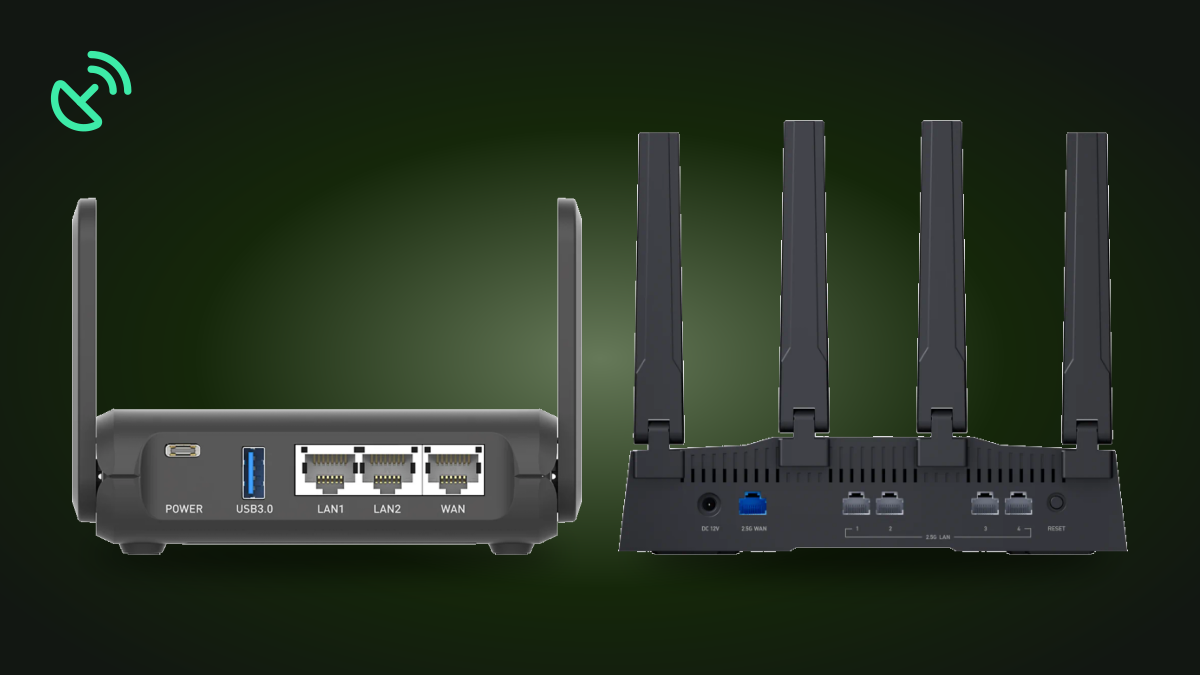
Like the Slate AX, the Flint 3 is based on OpenWrt but delivers greater processing power for more demanding users. Five 2.5 Gbps Ethernet ports (1 WAN + 1 WAN/LAN + 3 LAN) make it possible to manage a higher device density, handle complex routing requirements and provide low-latency connectivity for demanding applications such as real-time video streaming, large file transfers and video conferencing.
VPN and security
In our tests the Flint 3 runs WireGuard above 750 Mbps and OpenVPN with DCO above 700 Mbps; DCO runs OpenVPN encryption in the system kernel across several processor cores. This allows users to create secure, encrypted tunnels to protect sensitive data without significant performance loss.
Coverage and antennas
The Flint 3 is equipped with four external antennas optimized for tri-band Wi-Fi 7 coverage and stable signals even in environments with obstructions. This makes it an excellent choice for large areas and rural locations where devices may be spread over considerable distances.
Power requirements
The Flint 3 runs from a low-voltage DC power source (DC 12 V) and consumes about 25 W without a USB load or up to 37.2 W with a USB load. It is compatible with standard adapters, high-capacity power banks and automotive power sources — suitable for both fixed and semi-mobile Starlink installations.
Integration with Starlink terminals
Both the Slate AX and the Flint 3 can be connected directly to the Starlink modem-router via an Ethernet cable, using the WAN port. This setup lets the GL.iNet router take on the role of the primary gateway for all devices accessing the satellite network. Once the Slate AX or Flint 3 is connected, users are advised to disable the Starlink modem’s Wi-Fi function through the Starlink app. This reduces radio-frequency interference and simplifies the network by consolidating all wireless connections into a network managed by the GL.iNet router.
Improved Wi-Fi performance of GL.iNet routers
The Slate AX and Flint 3 use modern Wi-Fi standards (802.11ax and tri-band 802.11be respectively) that deliver better throughput, lower latency and support a larger number of connections.
Conclusions
The GL.iNet GL-AXT1800 Slate AX and GL-BE9300 Flint 3 are effective and flexible solutions for enhancing the functionality and security of Starlink terminals.
The choice of router depends on the user’s specific needs: the compact Slate AX is well suited to mobile applications, while the Flint 3 provides the power required for fixed or complex networks.
Ordering
- GL.iNet Slate AX GL-AXT1800 in the GemiGuard catalog
- GL.iNet Flint 3 GL-BE9300 in the GemiGuard catalog
- All models in the GemiGuard catalog
Related products: GL.iNet Slate AX · GL.iNet Flint 3.